A brief before the day starts
What your night did, how you slept, what the weather is about to do, and the one thing worth keeping an eye on.
Dia turns your glucose into a state in plain words, like Steady or Falling Fast, and tells you the reason in a sentence. Made for every type of diabetes.
The idea
187 mg/dL is a number.
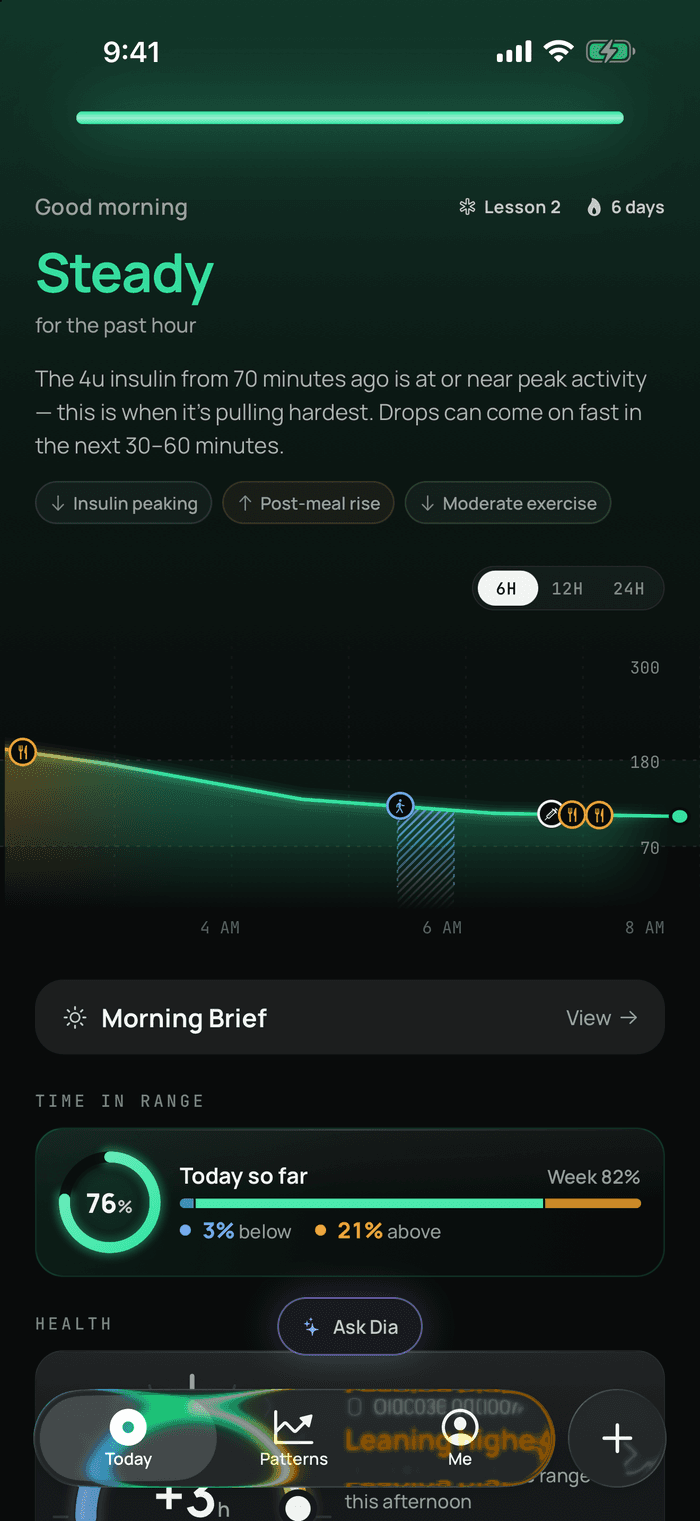
“Steady, for the past hour” is an answer.
Eight state words, and how long you’ve been in one. That’s the glance.
Why Dia
Your CGM buzzes at 3 a.m. You squint at a number and an arrow, then lie there working out why. Dinner, the walk, the bolus, bad sleep? That’s one of 288 readings a day, and you’ve been solving each one from memory. Dia keeps track of the insulin still working, the meal, the walk and last night’s sleep, then says what they add up to.
Instead of decoding
Steady, for the past hour. Then the reason, in a sentence: “The 4u insulin from 70 minutes ago is at or near peak activity… Drops can come on fast in the next 30–60 minutes.” No arrow to interpret, no yesterday to compare against from memory, and no big number waiting to make you feel bad. The curve below it is the one place Dia plots real values, because a six-hour shape is worth reading.
After the spike
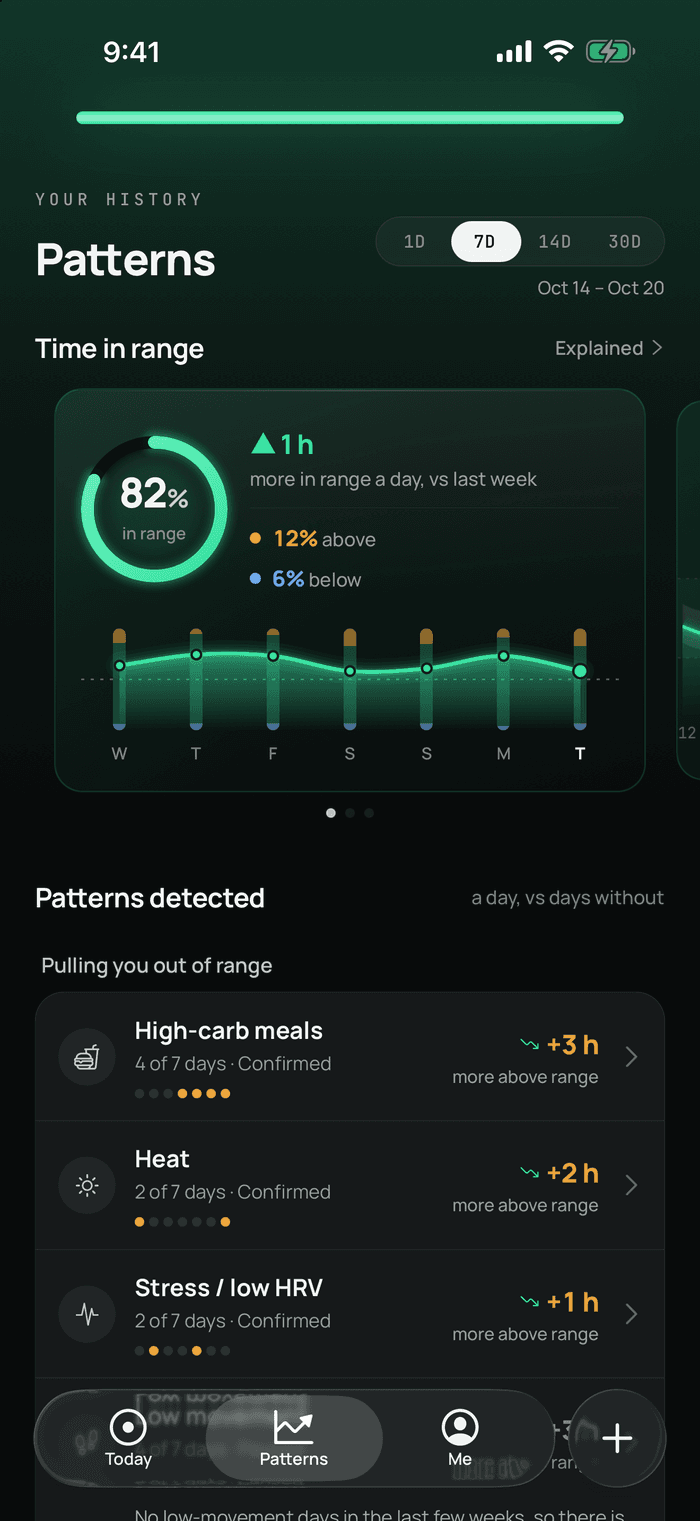
Dia looks across your own days for what reliably moves you, then says it plainly. High-carb meals: on the four of the last seven days you had them, you spent about three more hours a day above range than on the days you didn’t. Patterns start to appear once Dia has a few days of your data to work from.
When you’re wondering
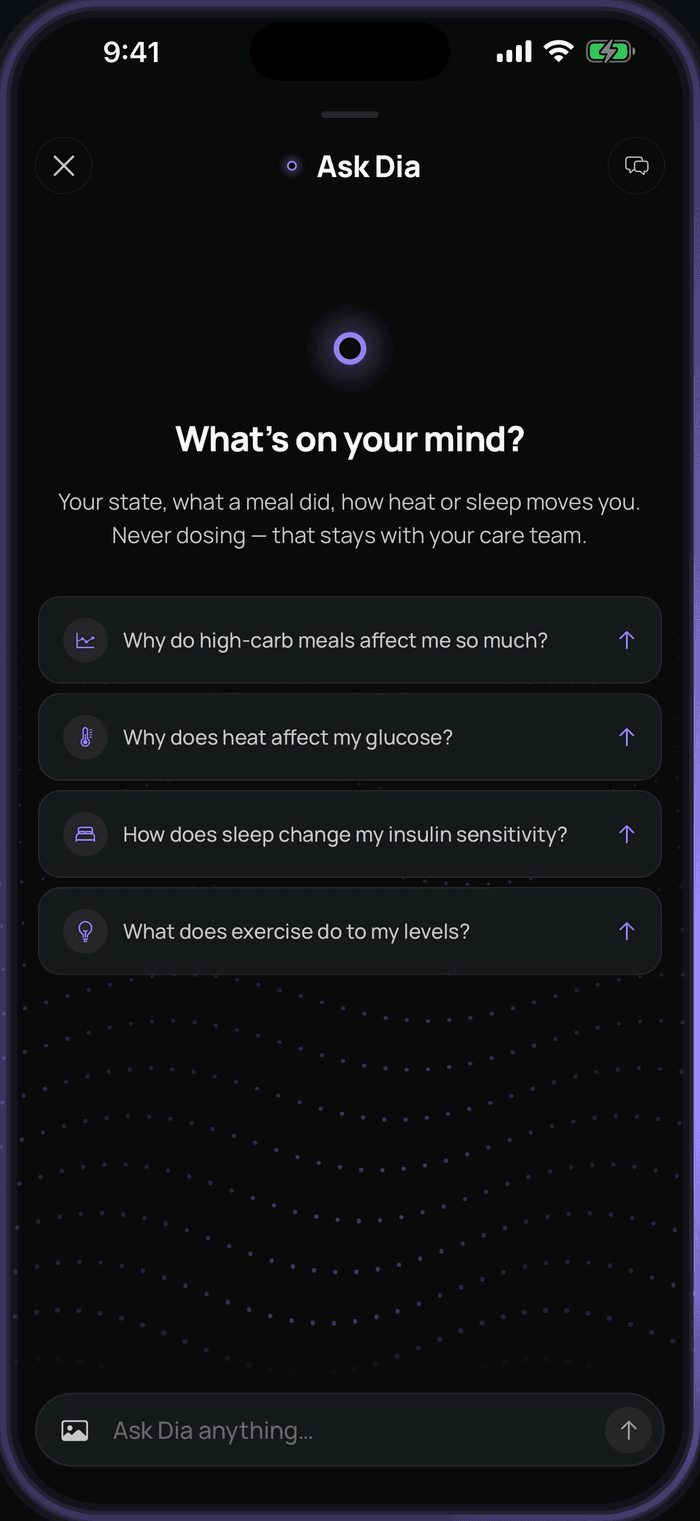
“Why do high-carb meals affect me so much?” “How does sleep change my insulin sensitivity?” Dia answers from your own logs, your sleep and the weather where you are, instead of handing you a general article about carbs. It never tells you what to dose. That stays between you and your care team.
Instead of a spreadsheet
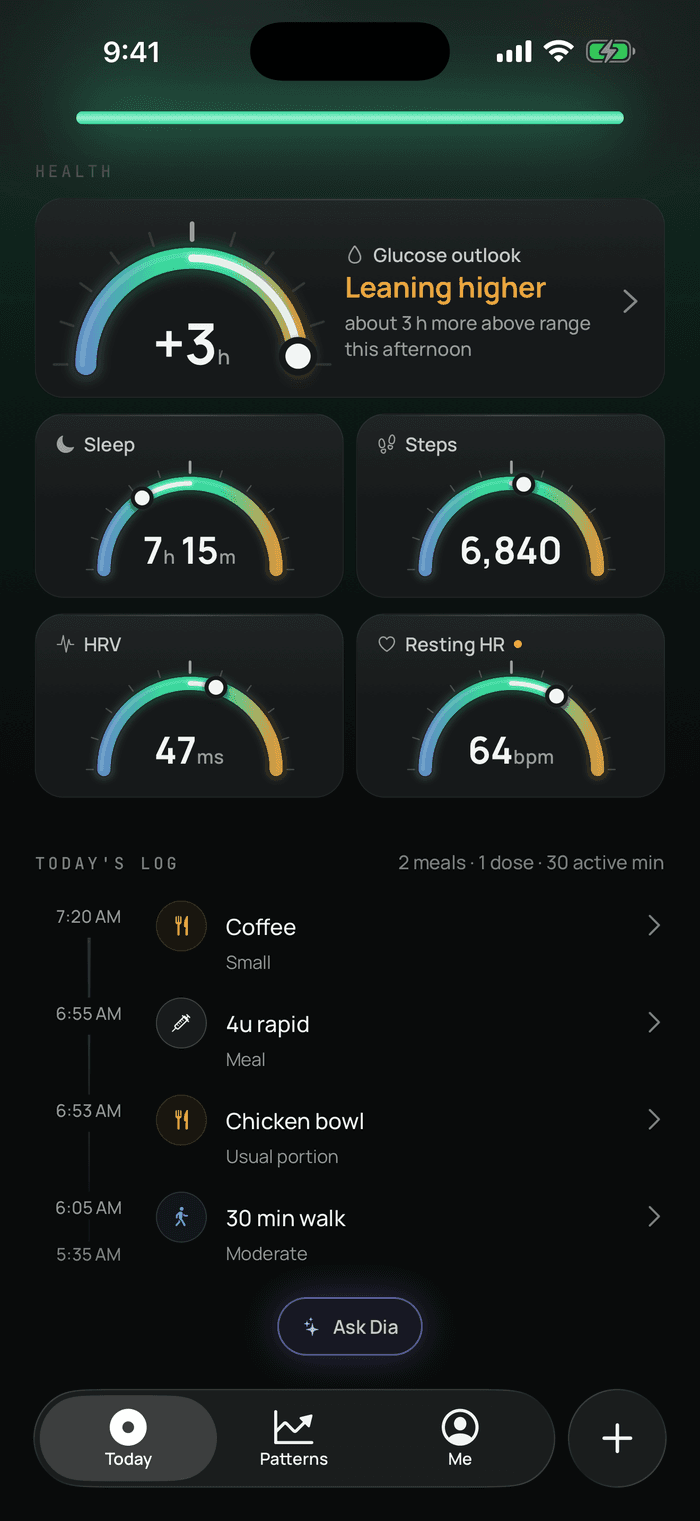
Photograph the plate or scan the barcode, tap the dose, or say a walk out loud to your Apple Watch. Your day builds itself into a timeline, and each entry makes tomorrow’s explanation more about you. Log as much or as little as you like. The state comes from your sensor, and the reasons get sharper with what you add.
Health, in context
Four dials, each with a marker for where today sits against the last two weeks of you, never against anyone else’s average. And once a day, the Glucose outlook reads them together and says how your afternoon may lean.
Glucose outlook
Leaning higher
about 3 h more above range this afternoon than a typical one
Sleep
Steps
HRV
Resting HR
Sample data. The outlook is a rough comparison of your own days, made once each morning and held for the day. It describes what has come before what, not what will happen, and it never tells you what to dose.
Also in it
What your night did, how you slept, what the weather is about to do, and the one thing worth keeping an eye on.
Day in Review lays your day’s states against everything you logged and everything your sensors noticed, so you can see what mattered.
A tap-through recap of your week: time in range, day by day, your best and hardest day, and what Dia noticed. Keep it to yourself or share the page.
The Glucose outlook compares last night’s sleep, HRV and resting heart rate with your own days and says how your afternoon may lean, in hours. It learns from how often it was right.
Widgets, a Watch app with complications and a Live Activity in the Dynamic Island put your state and trend one glance away. Tap the Watch graph for 6, 12 or 24 hours.
Point at the plate or scan the pack and Dia estimates what’s on it. If it gets one food wrong, tap that food and scan the right one.
One PDF with the standard CGM summary your clinic expects, built on your phone and shared by you. You preview it first, and it carries the real values, since those are what your clinic reads.
No CGM? Check-in mode shows your checks as they are, with no line guessing at the hours between, and reads your week from them.
Light, dark or automatic, in mg/dL or mmol/L, at the text size you set. A reading at your sensor’s limit says LOW or HIGH, not a made-up number.
How it works
Dia reads glucose, sleep, heart rate and activity from Apple Health. It also connects straight to Dexcom Share and LibreLinkUp.
Log what’s worth logging: a meal by photo, a dose, a walk. Your sensors and Apple Watch cover the rest, and weather and altitude arrive on their own.
Every state comes with a reason. Every morning and every night you get a short read on what happened. Week by week, the reasons get more specifically yours.
Your data
It’s your health data, so the rules are short and there are no exceptions.
Straight answers
No, but it’s where Dia works best. It connects to Dexcom through Dexcom Share and to FreeStyle Libre through LibreLinkUp, and reads glucose, sleep, heart rate and activity from Apple Health. Dexcom delays what it writes to Apple Health, so the direct connection keeps your curve current. If you use a finger-stick meter, Dia has a check-in mode that shows your checks as dots, with no line guessing at the hours between. Dia isn’t affiliated with or endorsed by Dexcom or Abbott.
No. Dia explains what’s going on and never says how much insulin to take or when. It doesn’t send low or high alerts either, and it doesn’t replace your CGM, your meter or your care team.
On the App Store, for iPhone. The Apple Watch app comes with it. Tap the badge at the top of this page, or search for “Dia”.
The first month is free, and it’s the whole app. You add a payment method to start and can cancel any time from your iPhone’s Settings in about four taps. Cancel at least 24 hours before the month is up and you’re not charged. We’ll remind you a week ahead with the date and the amount. After that it’s $59.99 a year (about $5 a month) or $8.99 a month, renewing until you stop it.
There’s no permanent free version, on purpose. Dia gets more useful in week four than on day one, so we’d rather you judge the whole thing. No ads, and your data is never the product.
Thank you. Beta testers get three months free on the App Store. We’ll email you an offer code, so use the address you gave us when you joined. We read everything you sent, and a lot of what’s in the app now started with one of your messages.
Not yet. Dia is on iPhone and Apple Watch for now, partly because the Watch app, widgets and Live Activity are a big part of it. We’re building for Android too, and we’ll say so here when it’s ready.
Dia gives the odd reading a plain-word state and a reason, so it arrives with its context. Free for the first month, then $59.99 a year or $8.99 a month. Cancel any time.